Inspection reports
Complete inspection forms, attach job photos and sketches, and send or export PDFs from your company workspace.
Open Fire Reports
One place for your inspection forms, sprinkler drawings, and job photos. Designed for your phone and tablet.
Your Fire Reports logo. One tap from your home screen.
Find what you need
Complete inspection forms, attach job photos and sketches, and send or export PDFs from your company workspace.
Open Fire ReportsRequest inspection sticker rolls with your company name or logo. Review your proof and quote before you pay.
Browse stickers and request a quoteBranch membership is $300 for six months or $600 for one year. Includes five field users and one free office login. Extra field users are $20 each per six months or $40 per year.
See plans and payment optionsPer-branch membership
Each plan includes five field users and one free office login. Sign in with your work email, save your company and branch details, then pay securely through Bluevine. Your access begins after payment is verified.
Need more than five field users? Request a larger crew quote before paying. Invited team members don’t pay again.
New company? Verify your email, enter your company details, then continue to payment. Choose $300 for six months or $600 up front for one year. Each plan covers one branch with up to five fitters plus one free office login. Companies with multiple branches pay the same rate per branch. Extra field seats are $20 each per six-month term, or $40 each per full year. Larger crews get a separate payment quote. Existing team members should use their invited work email and do not need to pay again.
Loading sign-in...
Internal email test: the temporary sender can email Supabase organization team members only. Customer email access is not launched.
Checking company connection...
Browser drafts remain available while company storage connects.
Sign inBooked date · Tap a date to see inspections
To record a deficiency, open an inspection report and tap Save to company. You can add findings to reports you have permission to edit.
Approved members can view company reports. Fitters edit their own reports until they send them to the office. Owners and managers can edit submitted reports and forward the PDF.
Your office/owner login is free. Paid company plans include five additional team spots. Use each person’s work email. Adding a role does not send an invitation. Email sign-in is currently limited to Supabase team addresses while the temporary sender is in use.
These older drafts were sent to the office. Open a copy to review any edits saved only on this device.
Tap a form, fill the boxes, then choose Download report PDF.
Browser drafts stay on this device. Use Save to company to upload a report and its photos for approved company members. Use Backup & restore to keep an editable copy before clearing browser data. Internet is required to load forms and create PDFs.
Use AES 4 for periodic inspection and hydrant flushing. Use the separate flow record for measured pressure and flow.
For private systems. Confirm any water utility or fire department reporting requirements for the job. The SDS flow record supplements the applicable report; it is not an official AES form.
Choose your pump type and report. Each opens the original California AES form.
Loading editable forms…
Download report PDF saves the original form with your entries and photo attachments. Open the downloaded .pdf file to view or print it.
Tap a blue box to enter text. Tap checkboxes to mark or clear them. Signature boxes let the inspector draw their own signature. No readings or inspection results are filled automatically.
Source note: the original OSFM AES 4.1 page 2 has a printed “Standpipe and Hose System” header; its footer identifies AES 4.1. That original page is preserved. Confirm the accepted form with the reviewing authority.
SDS supplemental field record. Enter measured readings and identify the flow method. No flow, available capacity, or pass/fail result is calculated. Use the applicable official report and local authority requirements.
Annual pump reports include the original curve sheets. Curve plotting is not automatic. Use Add photos to attach your prepared pump curves, or complete the curve sheets in the exported PDF.
On a phone, swipe across the original form or use Field list for larger entry buttons.
Keep a restore file if you want to reopen this editable draft in the app on another device. This file is not a printable report. Use Download report PDF to view or print the form.
To reopen it, use Restore report from backup under My drafts.
The sharing buttons open your device’s Share menu. You choose the app and confirm the send or upload. No automatic email or Drive backup is connected.
Mark sprinkler heads and pipe runs on a plan from your phone.
Keep original plans alongside your sketch in this browser. Each download is the original file. Maximum 25 MB per PDF.
Add pipe lines with two taps. Drag lines or their end handles. Add drops and heads, change nominal sizes, and undo changes. Export a sketch SVG or a backup you can reopen.
Project-specific code rules and hydraulic calculations require validated inputs and engineering review.
Start a report before adding photos.
Add up to 20 photos. Each photo gets its own labeled page after the original report forms. Photos and captions save with the draft on this browser.
Your device may ask for camera access. A computer may open a file chooser instead.
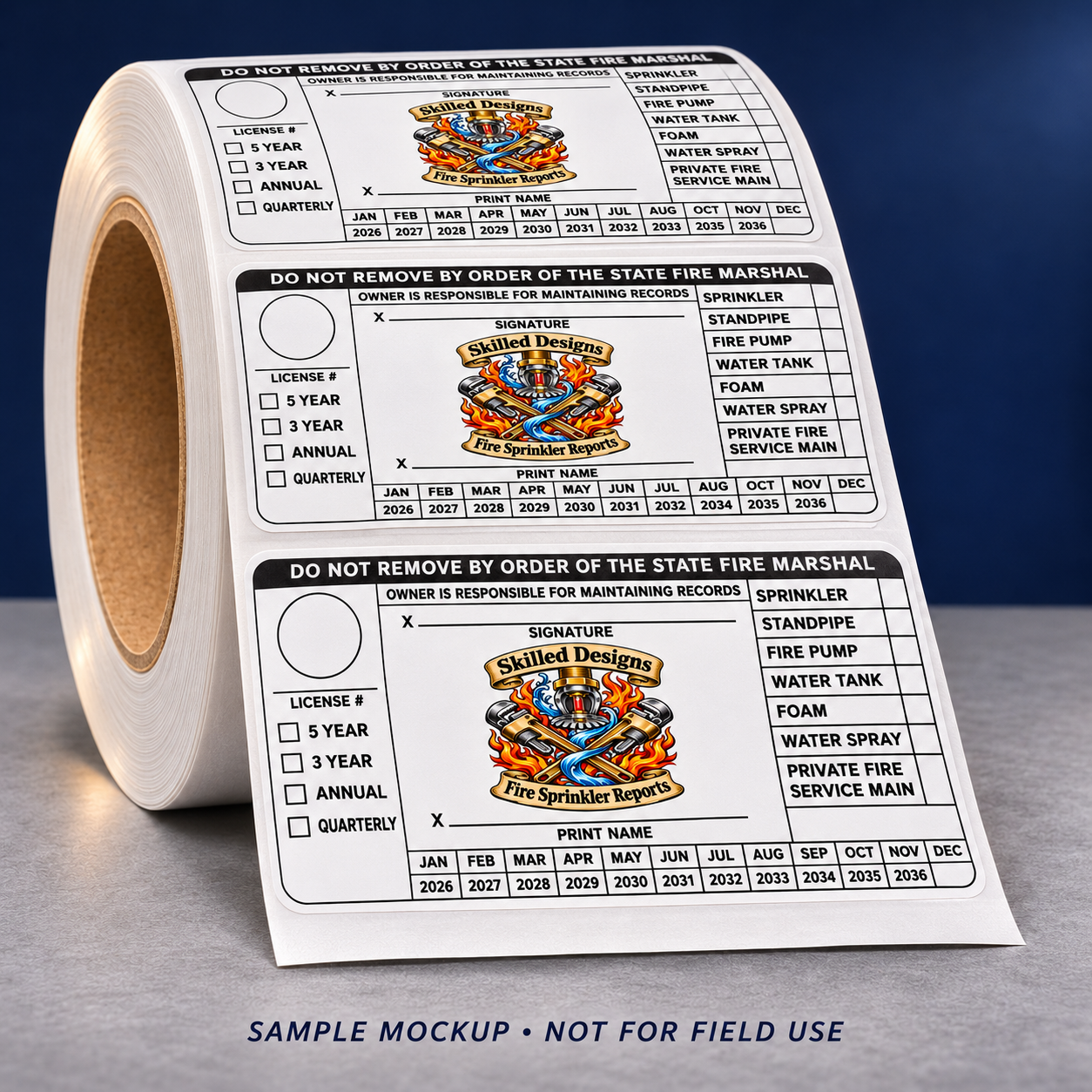
Custom inspection sticker rolls personalized for your business. Request your layout and quantity here; Skilled Designs handles the print quote and shipping arrangements.
Priced by quote
Roll quantity, label size, material, and shipping determine your total. Review the quote before paying.
Customize & request a quoteFrom Skilled Designs · Printing and fulfillment
Send to oscar@skilleddsigns.com. Add your logo or existing artwork in your email app, then send. This page does not send email or confirm receipt.